"Alexa, turn on the living room lights." Nothing happens. You repeat yourself, louder. Alexa cheerfully confirms she's turned on the living room lights, but the room stays dark. You try again with slightly different phrasing. This time she offers to play a song called "Living Room Lights" by an artist you've never heard of. Your guest watches awkwardly. You walk over to the switch and press it manually, muttering something about the system being temperamental.
This is voice control as most people experience it: a party trick that works impressively about 70% of the time and fails embarrassingly the rest. The technology itself is remarkably capable. The problem is almost always how it's been implemented.
Done properly, voice control becomes genuinely useful, not a replacement for buttons and switches, but a natural additional layer that makes certain interactions effortless. Done poorly, it's an expensive source of frustration that guests politely pretend to be impressed by.
---
At a Glance
The golden rule: Voice is a layer, not the foundation. Everything must work from physical controls first. Voice is an additional convenience, never a requirement.
Platform choice matters less than implementation: Alexa, Google, Siri, and Home Assistant all work. Pick based on your ecosystem, privacy preferences, and technical comfort, then implement it properly.
Scene-based commands work best: "Set the living room to relax" is reliable. "Dim the main light to 60% and turn on the cabinet lights and set the pendant to warm white" is asking for trouble.
Physical setup is critical: In Dubai villas with high ceilings and hard surfaces, you need more speakers than you think, positioned carefully and set to moderate volume.
Expect a learning curve: You'll need to discover what phrases work reliably and train your household to use consistent language.
---
Voice as a Layer, Not the Foundation
This is the most important principle, and it's where most voice control implementations go wrong.
If your home automation requires voice commands to function, you've built a fragile system. Voice recognition fails sometimes, background noise, accents, unusual phrasing, network issues, service outages. When it fails, you need a fallback. That fallback should be elegant physical controls that work every single time, not a frustrating scramble for your phone.
Professional automation systems like KNX are designed with this hierarchy: physical switches and keypads as the primary interface, app control as a secondary option, and voice as an additional layer on top. Every function is accessible from a button on the wall. Voice just provides an alternative way to trigger those same functions.
This sounds obvious, but consumer smart home products often work the other way around. A WiFi-connected bulb might have voice control as its primary interface, with physical control requiring you to keep the original switch permanently on and use a separate smart button. When the voice assistant has an outage, which happens more often than the marketing suggests, you're stuck.
The practical test: if your internet goes down, can you still control your home comfortably from wall switches? If the answer is no, the system is too dependent on voice.
Choosing a Platform
The major voice platforms, Amazon Alexa, Google Assistant, Apple Siri, and Home Assistant Assist, all work for home control. The differences matter less than people think, and the choice usually comes down to your priorities around ecosystem, privacy, and technical involvement.
Amazon Alexa has the largest ecosystem of compatible devices and skills. Voice recognition is reliable, setup is straightforward, and the range of available hardware, from small Echo Dots to larger Echo speakers to wall-mounted Echo Show displays, gives flexibility in how you deploy it. Alexa tends to be the default choice for households without strong existing loyalty to another platform.
Google Assistant has superior natural language understanding. You can phrase commands more conversationally and it will usually figure out what you mean. The integration with Google services is seamless if you're already in that ecosystem. Hardware options are more limited than Alexa, but the Nest speakers are well-designed.
Apple Siri, through HomePod devices, offers strong privacy protections, more voice processing happens on-device rather than in the cloud. Integration with iPhones is seamless, and if your household is already committed to Apple, keeping everything in one ecosystem has advantages. The trade-off is a smaller compatible device ecosystem and voice recognition that's less flexible than the competition.
Home Assistant Assist is the fourth option, and it's worth considering if privacy or cloud independence matters to you. Home Assistant is an open-source automation platform that runs locally on hardware in your home, no cloud servers involved. Its voice assistant, Assist, processes everything on-premises. Your voice commands never leave your network.
The trade-off is polish. Alexa and Google have had billions of dollars and millions of users refining their voice recognition. Home Assistant Assist is improving rapidly but isn't yet as forgiving of unusual phrasing or background noise. Setup requires more technical involvement than plugging in an Echo. And you'll need to provide your own hardware, either repurposed speakers with microphones or purpose-built voice satellite devices.
For technically inclined homeowners who value privacy and local control, Home Assistant is compelling. It integrates excellently with KNX systems, runs entirely on your own infrastructure, and gives you complete control over your data. For households who want voice control to simply work out of the box with minimal setup, the major platforms are more practical.
We work with Home Assistant regularly and can implement it as your voice layer if cloud-free operation is a priority. It's a different philosophy from Alexa or Google, more control, more responsibility, but for the right household, it's the best choice.
For most Dubai households, we recommend choosing based on your priorities and technical comfort. If everyone has iPhones and uses Apple services, HomePod makes sense. If you're mixed or Android-focused, Alexa or Google are more practical. Trying to mix platforms in the same home, Alexa in the living room, Google in the bedroom, creates unnecessary complexity and inconsistent experiences.
What matters more than platform choice is proper integration with your automation system. All four platforms can connect to professional KNX systems, Alexa, Google, and Siri through appropriate bridges, Home Assistant through direct integration. Commands go to the central logic rather than trying to control individual devices directly. This is how voice control becomes reliable, it triggers the same scenes and functions as your keypads, just through a different interface.
Designing Commands That Actually Work
The way you structure voice commands dramatically affects reliability. Some approaches work consistently; others invite confusion.
Scene-based commands are the gold standard. "Alexa, set the living room to relax" triggers a predefined scene in your automation system. There's no ambiguity, Alexa just needs to recognise the room name and scene name, then pass that instruction along. The automation system handles the complexity of which lights to set at what levels.
Device-by-device commands are fragile. "Alexa, dim the ceiling light to 60% and turn on the cabinet lights and set the lamp to warm" requires Alexa to parse multiple instructions, identify multiple devices correctly, and execute them in sequence. Each step is an opportunity for misrecognition or failure. Even when it works, the experience is clunky compared to pressing a single button.
Naming conventions matter enormously. If you name one light "Living Room Main" and another "Main Living Room Light" and a third "LR Ceiling," you'll confuse yourself, your family, and the voice assistant. Establish consistent patterns: "Living Room Ceiling," "Living Room Cabinet," "Living Room Floor Lamp." Better yet, minimise device-level voice control entirely and work through scenes.
Room names should match how you actually talk. If you call it "the TV room" in conversation, name it "TV Room" in your system, not "Family Entertainment Space" because that sounded better during planning. Voice control needs to feel natural, and that means using natural language.
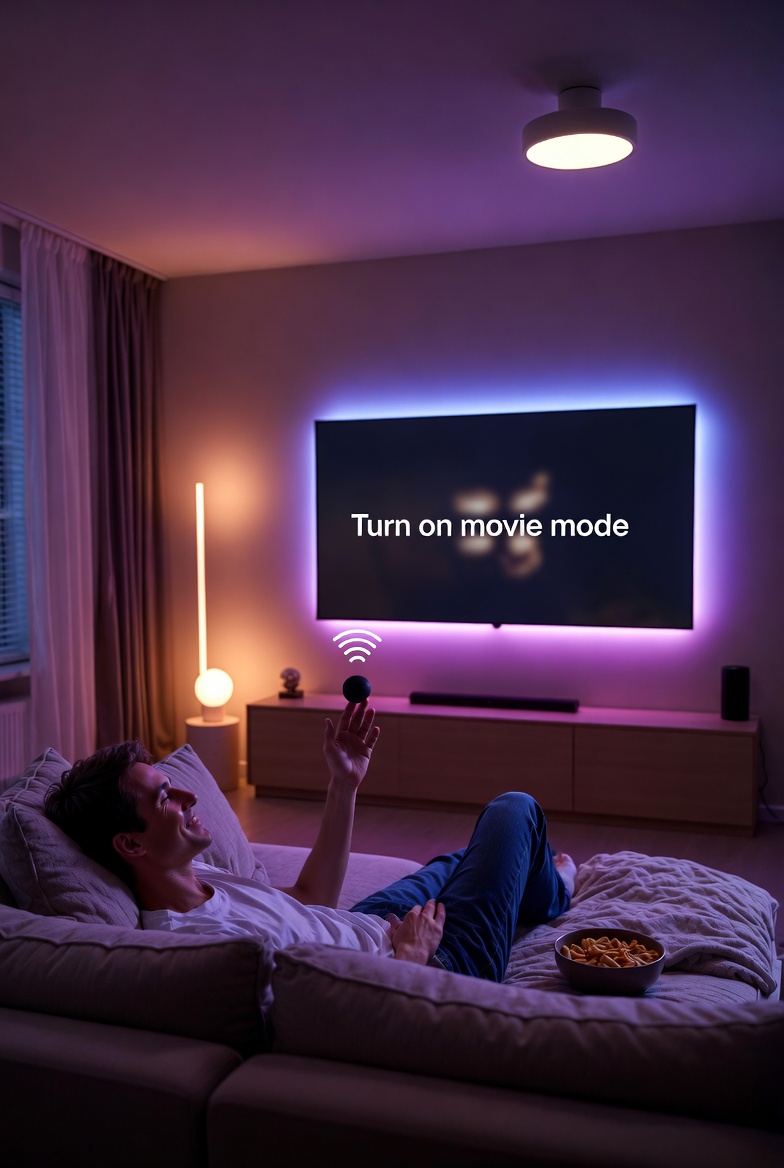
Keep a reference somewhere, a note on your phone, a sheet in a kitchen drawer, listing the voice commands that work. You'll discover through trial and error which phrasings are reliable. "Turn on movie mode" might work perfectly while "activate movie mode" fails consistently. Document what works so everyone in the household uses the same language.
Physical Setup: More Speakers Than You Think
Voice control only works if the system can hear you. In a Dubai villa, this is harder than it sounds.
High ceilings scatter sound and create distance between you and ceiling-mounted microphones. Hard surfaces, marble floors, glass walls, minimal soft furnishings, create reflections that confuse voice recognition. Open-plan layouts mean background noise from the kitchen reaches the living room speaker. Air conditioning creates constant ambient noise that microphones must filter through.
The solution is more speakers at moderate volume, distributed thoughtfully through your spaces.
Rather than one high-powered speaker trying to cover a large area, place multiple smaller speakers so at least one is always within reasonable range, three to five metres ideally. Position them away from obvious noise sources: not directly above the kitchen island, not next to the TV, not in the path of AC airflow.
Volume matters for recognition quality. A speaker straining at high volume to fill a large room picks up more echo and distortion than a closer speaker at moderate volume. If you find yourself shouting to be heard, add another speaker rather than turning up the existing one.
Consider which rooms actually need voice control. The master bedroom, living area, and kitchen are high-value. Utility rooms, storage areas, and staff quarters probably don't need voice activation, physical switches are simpler and more appropriate.
For very large spaces or challenging acoustics, some voice platforms support microphone arrays that can be ceiling-mounted, designed specifically for far-field recognition in difficult environments. These are more expensive than standard speakers but solve problems that multiple regular speakers can't.
Common Mistakes and How to Avoid Them
Overcomplicating the setup. Every device doesn't need to be voice-controllable. Focus on the functions you'll actually use by voice, primarily scenes and major systems, and leave the granular controls to keypads and apps.
Inconsistent naming. Decide on a naming convention before you start and stick to it. Changing device names after the fact means retraining everyone's habits and potentially breaking existing routines.
Ignoring household members. The person who set up the system knows all the commands. Everyone else is guessing. Make sure your spouse, children, and staff know at least the basic commands, or they'll avoid voice control entirely and wonder what the point was.
Expecting too much flexibility. Voice assistants have improved dramatically, but they're still pattern-matching systems. They work best with predictable phrasing. "Turn on the lights" works. "Could you maybe brighten things up a bit in here" might not.
Forgetting about guests. When visitors stay, they won't know your voice commands. Make sure physical controls are obvious and accessible. Nothing is worse than a guest trapped in a dark bedroom because they don't know the magic words.
Neglecting updates. Voice platforms update frequently, and occasionally integrations break. If voice control stops working reliably, check for software updates on both the voice platform and your automation bridge.
Privacy Considerations
Voice assistants work by listening for wake words, then sending your commands to cloud servers for processing. This is worth understanding clearly.
The devices are designed to only record and transmit after hearing the wake word ("Alexa," "Hey Google," "Hey Siri"). However, false activations happen, a word that sounds similar, or a voice from the television. When this occurs, whatever follows gets recorded.
Amazon, Google, and Apple all allow you to review and delete your voice history. Amazon and Google retain recordings by default; both offer settings to minimise or disable this. Apple's Siri processes more on-device and sends less to the cloud, with stronger anonymisation of what it does send.
For most households, the privacy trade-off is acceptable, you're exchanging some data for genuine convenience. But it's worth making an informed choice. If privacy is a priority, Apple's approach is more conservative. If you'd rather not have always-listening devices in certain spaces, bedrooms, home offices, simply don't put speakers there.
Professional automation systems can also implement fully local voice control through Home Assistant Assist, which processes everything on your own hardware without any cloud involvement. As mentioned above, the voice recognition is less polished than the major platforms, but for privacy-conscious households it eliminates cloud concerns entirely.
Integration With Professional Systems
The difference between consumer voice control and properly integrated voice control comes down to what happens after the assistant recognises your command.
In a basic smart home, "Alexa, turn on the lights" might directly control a WiFi bulb. Alexa sends an instruction to the bulb manufacturer's cloud server, which sends a command to the bulb. Each device is a separate connection, each with its own potential point of failure.
In a professional system, "Alexa, turn on the lights" sends a command to your automation controller, typically through a bridge device that translates between the voice platform and your KNX system. The controller then executes the command the same way it would if you'd pressed a keypad button. The voice assistant triggers the action; your automation system handles the execution.
This architecture is more reliable because your automation system is designed for reliability. Wired connections, local processing, no dependency on multiple cloud services. The voice assistant is just another input method, no different from a keypad or an app.
It also means voice commands can trigger complex scenes that would be impossible to achieve through direct device control. "Good night" doesn't just turn off lights, it adjusts climate, arms security, closes blinds, and confirms the garage door is shut. All from the same three-syllable command.
---
Thinking About Adding Voice Control?
Voice control works brilliantly when it's implemented as a thoughtful layer on top of solid automation fundamentals, and poorly when it's treated as a primary interface or bolted onto consumer devices without proper integration.
If you're building a new system, voice integration is straightforward to include from the start. If you have existing automation and want to add voice control, we can assess the best approach, whether that's adding a bridge to your current system or upgrading components to enable proper integration.
The goal is voice control that genuinely improves daily life, not a feature you apologise for when it fails to respond. That reliability comes from treating voice as one layer of an integrated smart home system.